🏝️
The notch, put to work
Hover it for music, calendar, tasks, clipboard, AI usage, system stats and timers. Closed, it shows what's running: your task timer, a Pomodoro countdown, the song that's playing, or the volume as you change it.

Tasks, a Pomodoro timer, clipboard history, a launcher, voice dictation and a cleaner — one app, one hover away. No more drawer full of little utilities.
macOS 14 or later · your data stays on your Mac
Write the launch post
12:48of 25 min · Pause · Done
10:30 Design review
14:00 Call with Sam
Lo-fi focus mix
◀︎ ❚❚ ▶︎
Most Macs collect a utility for every small job. OneBuddy does those jobs in one place, with one look and one set of shortcuts.
 OneBuddy
Hover it for music, calendar, tasks, clipboard, AI usage, system stats and timers. Closed, it shows what's running: your task timer, a Pomodoro countdown, the song that's playing, or the volume as you change it.
Boards with Backlog, Today and Done. Press Start focus and the app tucks away, leaving a slim task sidebar. Finish one and Buddy celebrates.
Focus, short break, long break after four. The countdown sits beside the notch and the next phase starts by itself.
Everything you copy, searchable. A shelf slides up from the bottom of the screen; arrow keys to move, Return to paste, pinboards with your own icons for the things you reuse.
Open apps, find files, run commands, do the maths, start a timer or add a task — from one bar. Give anything an alias or a hotkey.
Hold the shortcut, talk, let go — the words land in whatever app you're using. Speech is recognised on your Mac by a model you pick; OneBuddy recommends one for your hardware and downloads it for you.
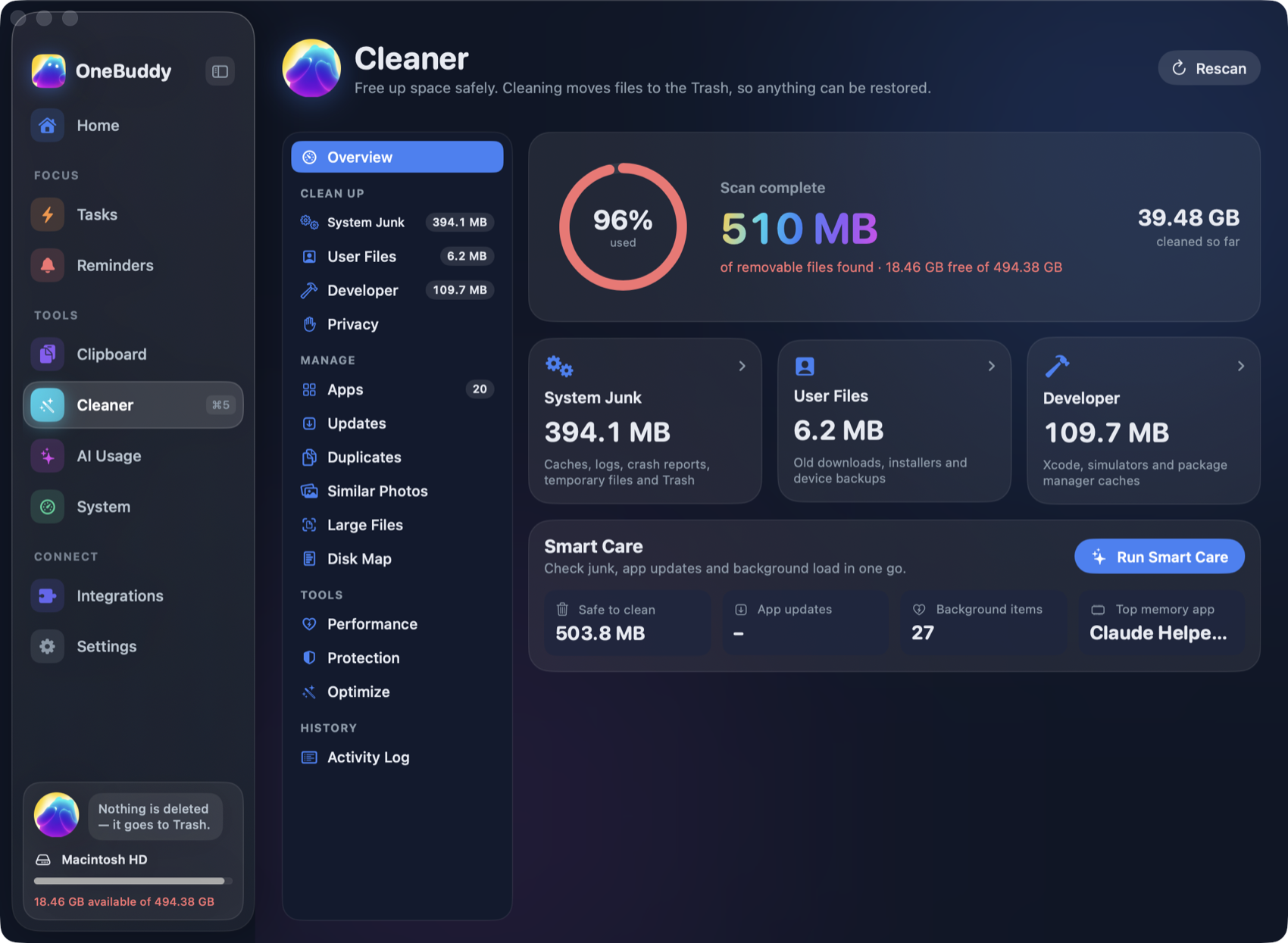
Caches, logs, developer junk, big files, duplicates, similar photos, old apps and their leftovers. Everything it removes goes to the Trash, so nothing is lost by mistake — and every clean is written to an activity log.
Halves, thirds, corners, maximize and centre.
See today's Claude Code and Codex tokens and how long your AI apps were in front, read from logs already on your Mac.
A built-in MCP server lets Claude add, start and finish your tasks. A task Claude starts shows its timer in your notch.
One scan shows what is safe to remove, and how much you would get back.
Dictation uses a speech model stored on your Mac. Your voice is not uploaded.
The cleaner moves files to the Trash. Change your mind and put them back.
Integration tokens are stored in your Mac's Keychain and only sent to the service they belong to.
Clipboard history ignores items that password managers mark as secret.
AI usage is counted from log files already on your disk. Nothing is sent anywhere.
The Protection check asks macOS about app signatures and background items. It doesn't pretend to be an antivirus.
No. On a Mac without a notch, OneBuddy draws a small pill at the top of the screen that behaves the same way.
Only what a feature needs, when you use it: Accessibility to paste and to move windows, Microphone for dictation, Calendar to show your events. Each one is optional.
It types what you say, on your Mac, without sending audio anywhere. It does not rewrite or tidy your sentences the way cloud tools that use a language model do.
Items go to the Trash rather than being deleted, risky categories are never ticked for you, and each one is labelled Safe, Caution or Review.
Not yet. Today OneBuddy imports the open tasks assigned to you from Todoist, Asana, ClickUp, Trello, Notion, Linear and GitHub. Finishing a task in OneBuddy doesn't close it in the other service.
Same Buddy, different home. The extension lives in your browser; the Mac app lives in the notch and works across every app.
OneBuddy for Mac — tasks, clipboard, launcher, dictation and a cleaner, one hover away.
The Mac app is not out yet. The Chrome extension is available today.